
Move in the Menu
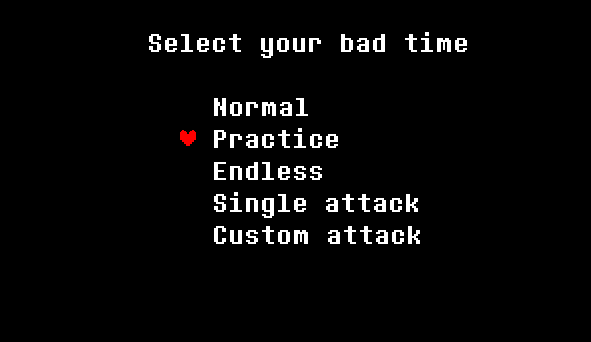
Use the Up and Down arrow keys to navigate through the menu. When you find the option you want, press Enter or Z to select it and begin your battle.
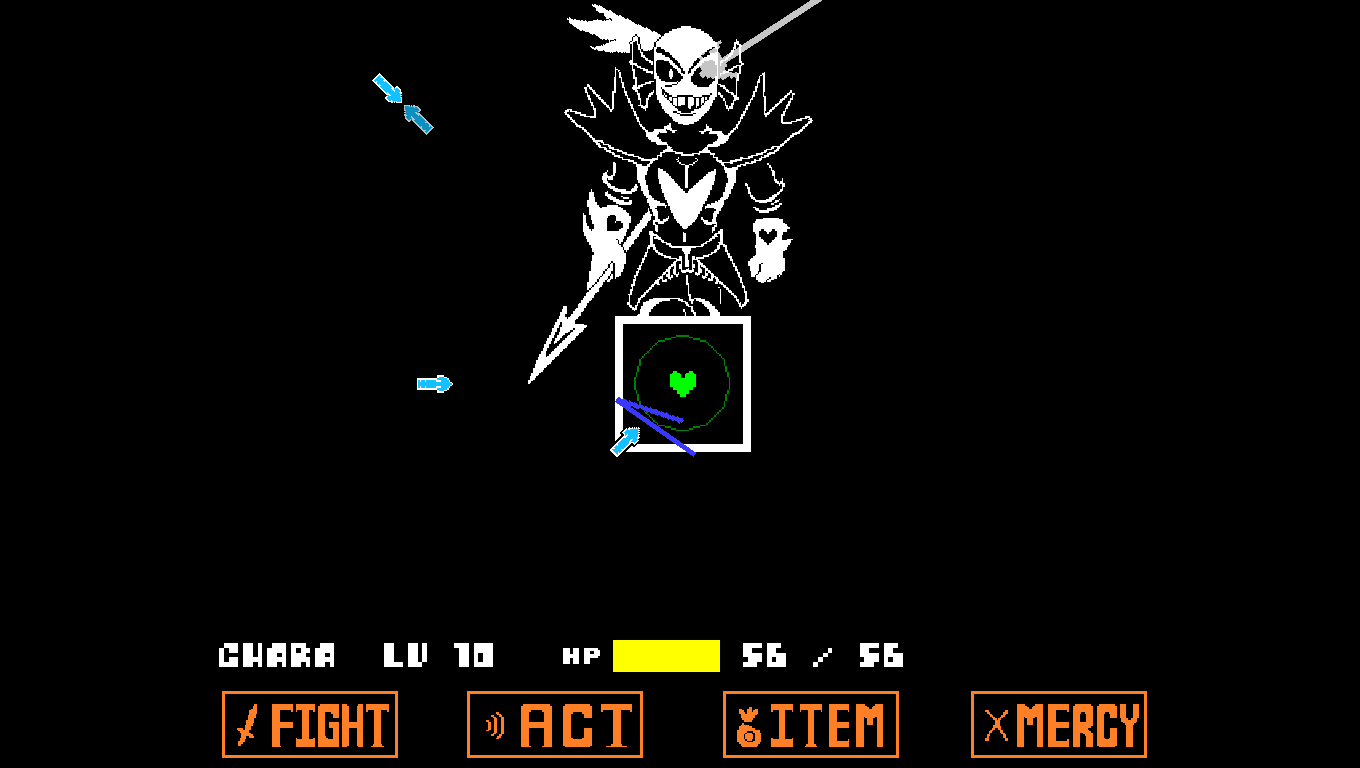
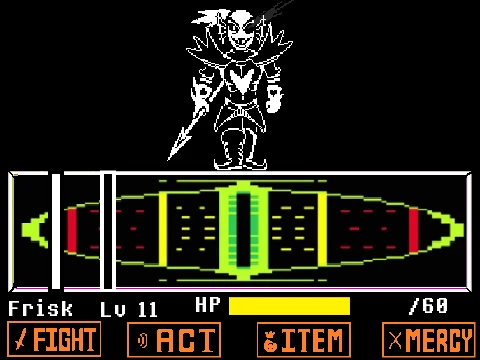


Play Sans Simulator (bad time simulator) online for free! Battle as or against Sans in an epic fight inspired by Undertale. Dodge attacks, unleash powerful moves, and test your skills. Easy to play, but hard to master can you survive?
Start by choosing your game mode. You can fight against Sans, where you must dodge his fast and powerful attacks, or play as Sans, using his unique moves to defeat your opponent. Each mode offers a different challenge, so pick wisely!
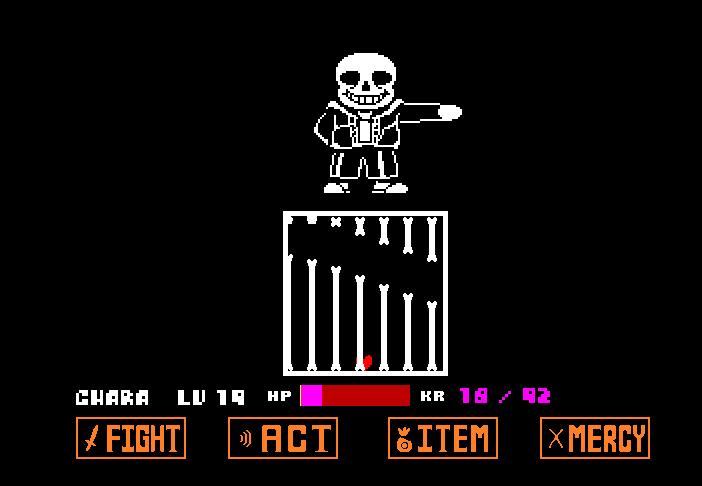
Use the Arrow keys or WASD to move your soul and dodge Sans' attacks. White attacks must be dodged by moving, while blue attacks require you to stand completely still. Your survival depends on reading each pattern quickly and reacting at the right moment.
To win, you need to survive the battle and outlast your opponent. Dodge Sans tricky attacks, use your special moves wisely, and time your actions carefully. The fight gets harder as you go, so stay focused and react quickly. Can you survive the challenge?
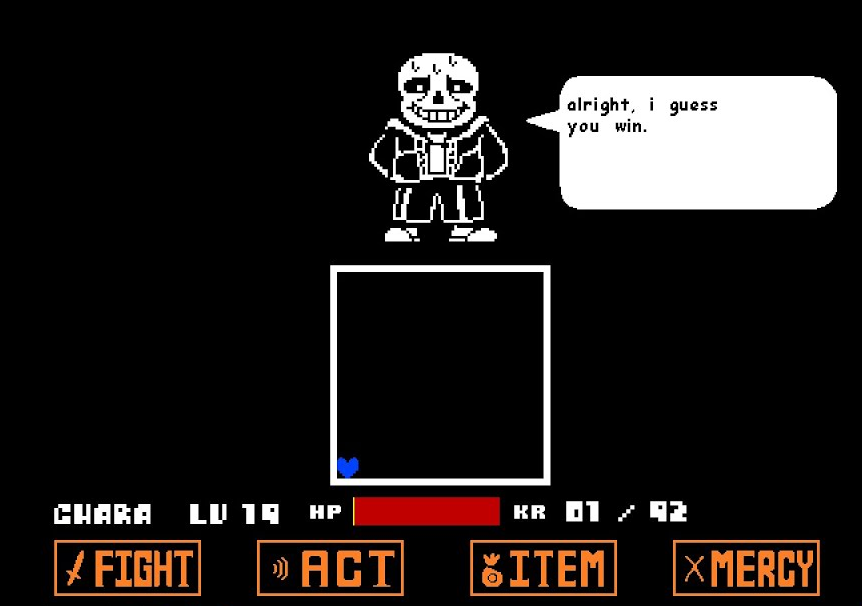
Inspired by the legendary Sans fight from Undertale — an emotional, intense, and unforgettable boss battle — I explored many versions of Sans Undertale simulator games online, but most were buggy or unpolished. That's when I decided to build my own: a smooth, browser-ready bad time Sans experience anyone can enjoy. I designed modes like Normal, Endless, Single, and Custom Attack to help players train and master the Sans simulator.
Winning the Sans fight comes down to one thing above all else: dodging. Your timing is everything, so take time to study each attack pattern before rushing in. Use "Single Attack" mode to practice one pattern at a time, and challenge yourself in "Endless Mode" to sharpen your reflexes over time.
Sans Simulator offers four distinct modes to suit every play style. Normal mode delivers a balanced and authentic Sans fight. Endless mode puts you through wave after wave of random attacks to test your endurance. Single Attack mode lets you practice one move repeatedly until you've mastered it. Finally, Custom Attack mode lets you set your own challenge and push your reflexes to the limit.
Use the Up and Down arrow keys to navigate through the menu. When you find the option you want, press Enter or Z to select it and begin your battle.

If you want to change your selection or return to a previous menu, press X. This lets you reselect your options before starting the fight.

Use the Arrow keys or WASD to control your heart (soul) and dodge Sans' attacks. Avoid bones, beams, and obstacles by moving at the right time.
Press X to attack when it's your turn. Keep dodging and timing your moves carefully to survive the battle and defeat your opponent!
Sans Simulator is a fan-made game where you can fight against Sans or play as Sans in an epic battle inspired by Undertale. Dodge, attack, and survive!
Use your keyboard or touch controls to move, jump, and attack. Dodge white attacks by moving and stay still for blue ones. Time your moves to win!
Yes! Sans is fast and unpredictable, making the battle a real challenge. But with practice, you can master dodging and counterattacks!
Yes! Sans Simulator works on both PC and mobile, so you can play anywhere.
To hit Sans in the game, you must keep attacking, even though he dodges every move. As the battle goes on, he starts to get tired. Eventually, he will stop dodging, giving you a chance to land a hit. When he shows signs of exhaustion or falls asleep, strike quickly to finish the fight!
Sans has 24 different attacks, all inspired by his moves in Undertale. These include Strongest Move, Bone Slam, Bone Wall, Gaster Blasters, and more. The attacks are divided into two parts — the first part has 13 attacks, while the second part has 11 harder attacks that make the battle even more challenging!
Sans Simulator is a fan-made game inspired by the character Sans from Undertale. Several developers have created their own versions. NekoGlass developed a version on Game Jolt, Adria Estudios created one on itch.io, and Jcw87 developed the Bad Time Simulator (Sans Fight) — one of the most popular fan-made versions.
The controls are simple. Use the Arrow keys or WASD to move your soul and dodge attacks. Press Z or Enter to confirm selections in the menu, and press X to go back or attack during battle. On mobile, on-screen touch buttons replace the keyboard controls.
This is one of the most important mechanics in the game. White attacks hurt you if you get hit, so you need to move and dodge them. Blue attacks work the opposite way — they only hurt you if you are moving when they hit. When you see blue, stop moving completely and let them pass through.
Gaster Blasters are one of Sans' most powerful attacks and many players struggle with them at first. The key is to watch where the blasters are aiming before they fire and position yourself in the gap between their beams. They fire in a fixed pattern, so once you learn the timing and spacing you can dodge them consistently every time.
No download is needed at all. Sans Simulator runs entirely in your web browser, so you can start playing instantly just by visiting the page. It works on Chrome, Firefox, Edge, and most modern browsers on both desktop and mobile without any installation.
Bad Time Simulator and Sans Simulator are often used interchangeably because they refer to the same type of fan-made experience — recreating the iconic Sans boss fight from Undertale. Bad Time Simulator is the name of the original browser version created by Jcw87. Sans Simulator is a broader term used to describe any fan-made game where you fight against or as Sans.
Beating Sans requires patience more than speed. Learn his attack patterns by playing through them repeatedly — each pattern is fixed, so muscle memory helps a lot. Always save your HP items for emergencies, avoid rushing your attacks, and wait for the moment he falls asleep to land your hit. Most players take dozens of attempts before winning, so don't get discouraged.
Sans Simulator includes four game modes. Normal mode is the classic balanced Sans fight. Endless mode throws continuous waves of random attacks at you to test how long you can survive. Single Attack mode lets you practice one specific attack over and over until you master it. Custom Attack mode lets you build your own challenge by selecting which attacks appear.
When your HP drops to zero, the game ends and you see a Game Over screen. You can restart immediately and try again from the beginning. There are no save points mid-battle, so each attempt is a fresh run. This is what makes the fight so rewarding when you finally survive — every win is fully earned.
Sans Simulator is inspired by Undertale but is not an official part of it. It is a fan-made recreation of the Sans boss fight from the Genocide route of Undertale, created independently by fans of the game. The original Undertale was developed by Toby Fox. Sans Simulator is a tribute to that iconic battle and is not affiliated with or endorsed by the official Undertale team.
Sans dodging your attacks is intentional and is one of the most iconic parts of his fight. In the game's story, Sans is the only enemy who can actually dodge. The trick is not to find a way around it but to keep attacking anyway. Each time you attack, even if he dodges, it slowly wears him down. Eventually he gets tired and falls asleep — that is your window to land the hit that counts.
Yes! That is exactly what Single Attack mode is for. Instead of going through the full battle, you can select one specific attack and practice dodging it over and over until it feels natural. This is the best way to build confidence before taking on the full fight in Normal or Endless mode.
Yes, especially in Endless mode. As you survive longer, the attacks become faster, more complex, and harder to predict. In Normal mode the difficulty follows the fixed pattern of Sans' original fight, which naturally escalates in the second phase. The longer you last, the more demanding the game becomes — which is what keeps players coming back to improve their best run.